
Prevent Unpaid Items Left in Baskets at Self-Checkout
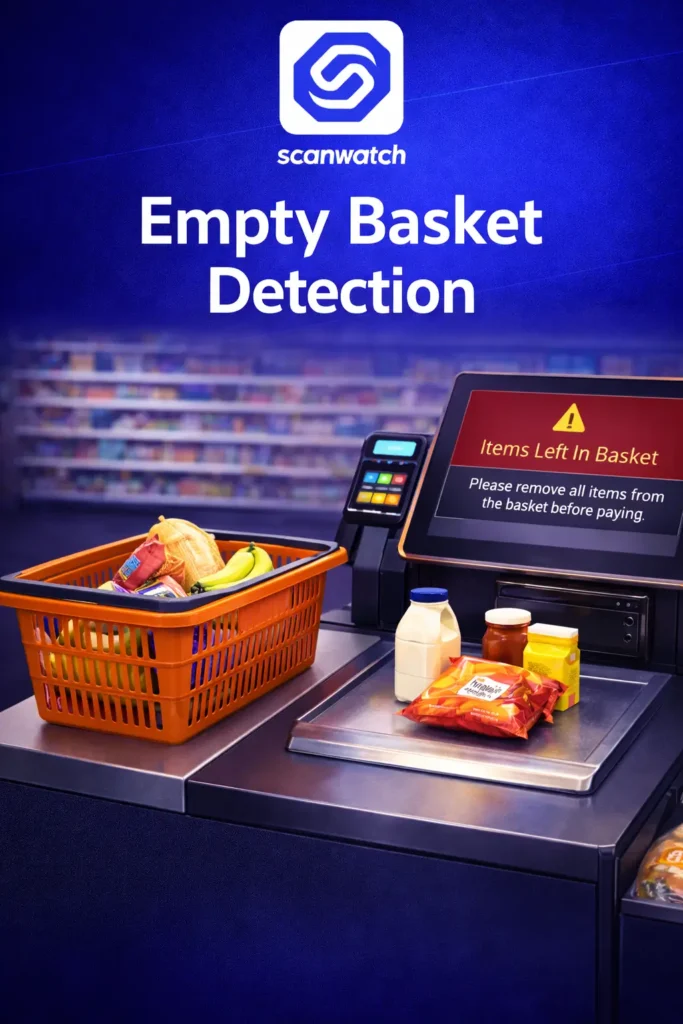
Ensure every item is scanned and paid for by detecting products left behind in baskets when customers initiate payment at security-scale self-checkouts.
Benefits of Using Empty Basket Detection
Empty Basket reduces losses caused by forgotten or intentionally skipped items by verifying that baskets are fully emptied before payment is completed.
Ensures that no items remain in the basket when the customer initiates payment.
Detects issues at the exact moment they occur, without slowing down the checkout flow.
Store staff receive instant notifications with a photo of the basket area for fast verification.
Works alongside existing security scales to close one of the most common scanning gaps.
Trusted by:



Key Features
Designed to strengthen self-checkout control by ensuring that every item is scanned before payment, Empty Basket Detection adds an extra layer of protection where security scales alone are not enough.
Basket Content Verification
Automatically checks whether any items remain in the basket when the customer presses the “Pay” button.
Real-Time Staff Alerts
Notifies store staff immediately, indicating the specific self-checkout station and basket status.
Visual Confirmation
Provides a photo of the basket area to support fast and accurate decision-making.
FAQ
Quick Overview
Empty Basket Detection helps retailers close a critical self-checkout gap by verifying that all items are scanned and paid for before the transaction is finalized.
It occurs when one or more items remain in the basket and are not scanned before payment is initiated.
At the moment the customer presses the “Pay” button on the self-checkout screen.
No. The system does not identify individuals and does not collect or store personal data.
Yes. Stores can choose whether alerts are sent only to staff or also displayed on the self-checkout screen.
Yes. It is designed specifically for self-checkouts equipped with security scales.

How It Works?
Empty Basket Detection follows the natural self-checkout flow, activating only at the final payment step to verify that no items remain unscanned in the basket.
Basket Monitoring
The basket area is continuously monitored during the checkout process.
Payment Initiation Check
When the customer presses “Pay,” the system verifies that the basket is empty.
Alert Generation
If items remain, a real-time alert is sent with the checkout ID and basket image.
Store Action
Store staff decide how to proceed according to internal procedures.
Ready to Secure Your Self-Checkouts?
Contact us to learn how Empty Basket Detection integrates with your existing self-checkout systems and helps reduce unpaid items without impacting customer experience.

Evaldas Budvilaitis
Co-Founder